In private alpha
Plan the wedding that is really six events wearing one name.
divyap keeps every part of a big celebration in one place — each with its own tasks, budget, vendors, guests and look — and puts an assistant on every page that knows what you are looking at.
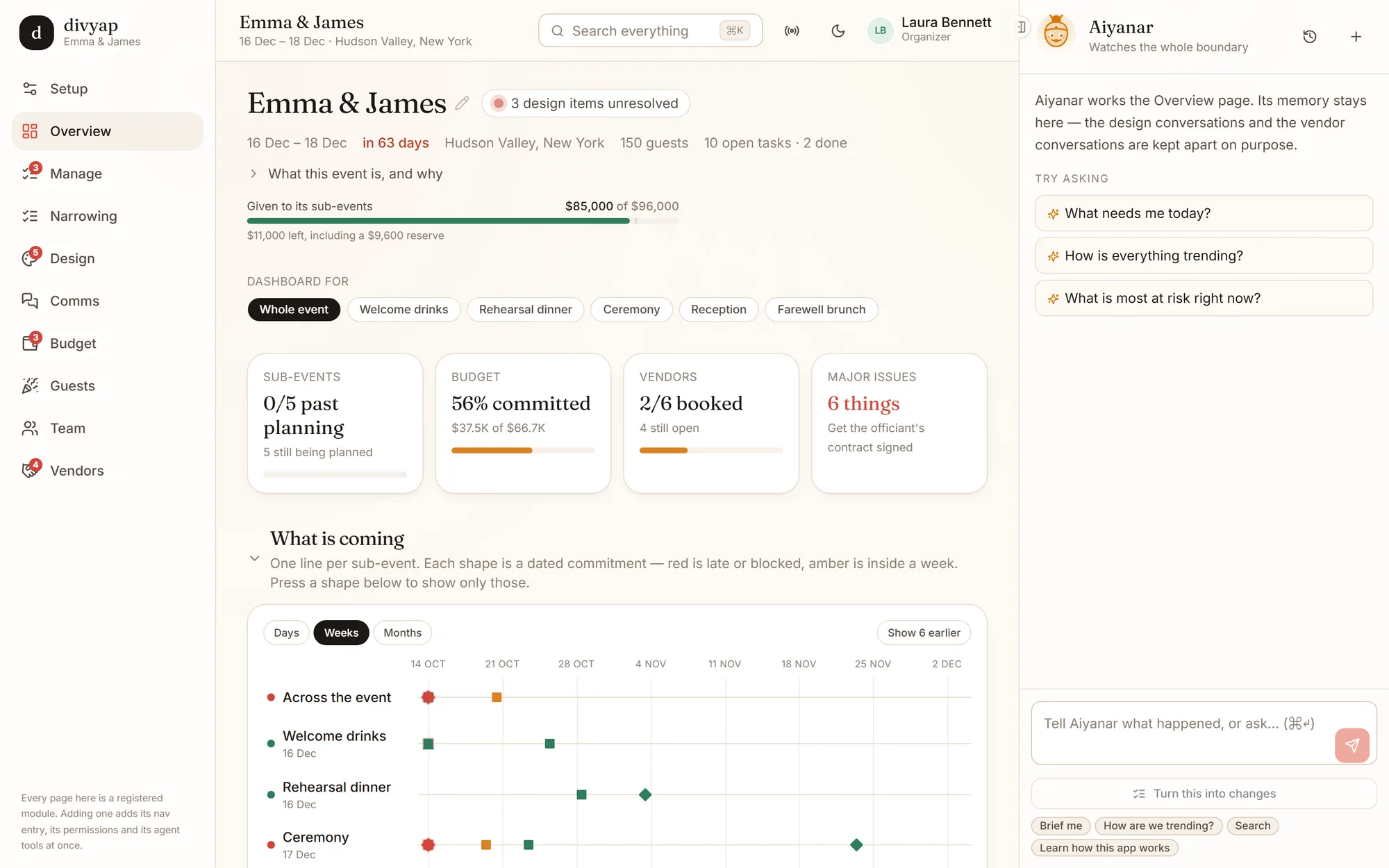
The overview for a Hudson Valley wedding weekend. Everything here is the real app.
Built for the events checklists were never designed for
Most planning tools assume one day, one venue, one list. A real wedding weekend is welcome drinks, a rehearsal dinner, the ceremony, the reception and a brunch — and a South Asian wedding in New Jersey adds a mehndi, a sangeet and a baraat — at three venues, with two families, a dozen vendors and a wedding party helping.
Every part is its own event
The rehearsal dinner has its own tasks, budget, vendors, guest list and look — and still rolls up into one wedding. Nothing gets lost between the parts.
One page tells you what is slipping
The overview reads every other page and puts what is late, blocked or over budget at the top — with the person and the vendor to call about it.
Everyone sees only their part
The cousin running the sangeet sees the sangeet. The best man running the rehearsal dinner sees the rehearsal dinner. Nobody needs a tour of the whole plan to help.
For families who span the world
Any tradition. Any currency. Any country.
The weddings worth planning carefully are rarely tidy: two families with two sets of customs, relatives on three continents, and vendors who each want paying in their own money.
Multi-currency
Budget in dollars, pay the decorator in rupees and the band in pounds. Every amount keeps the currency it was agreed in, at the rate it was agreed at, and rolls up into the one total you report in — so last month’s numbers never move.
Multi-cultural
A Tamil muhurtham, a Gujarati baraat, a nikah, a church ceremony — or two families’ traditions in one weekend. Parts are named the way you name them, and the planner knows a haldi from a rehearsal dinner.
Multi-country
Grandparents flying in from Ahmedabad, cousins from London, the wedding in New Jersey — or in Chennai. Keep track of who lands when, who needs a pickup, and which vendor is in which city, with the event kept in its own time zone.
Getting started
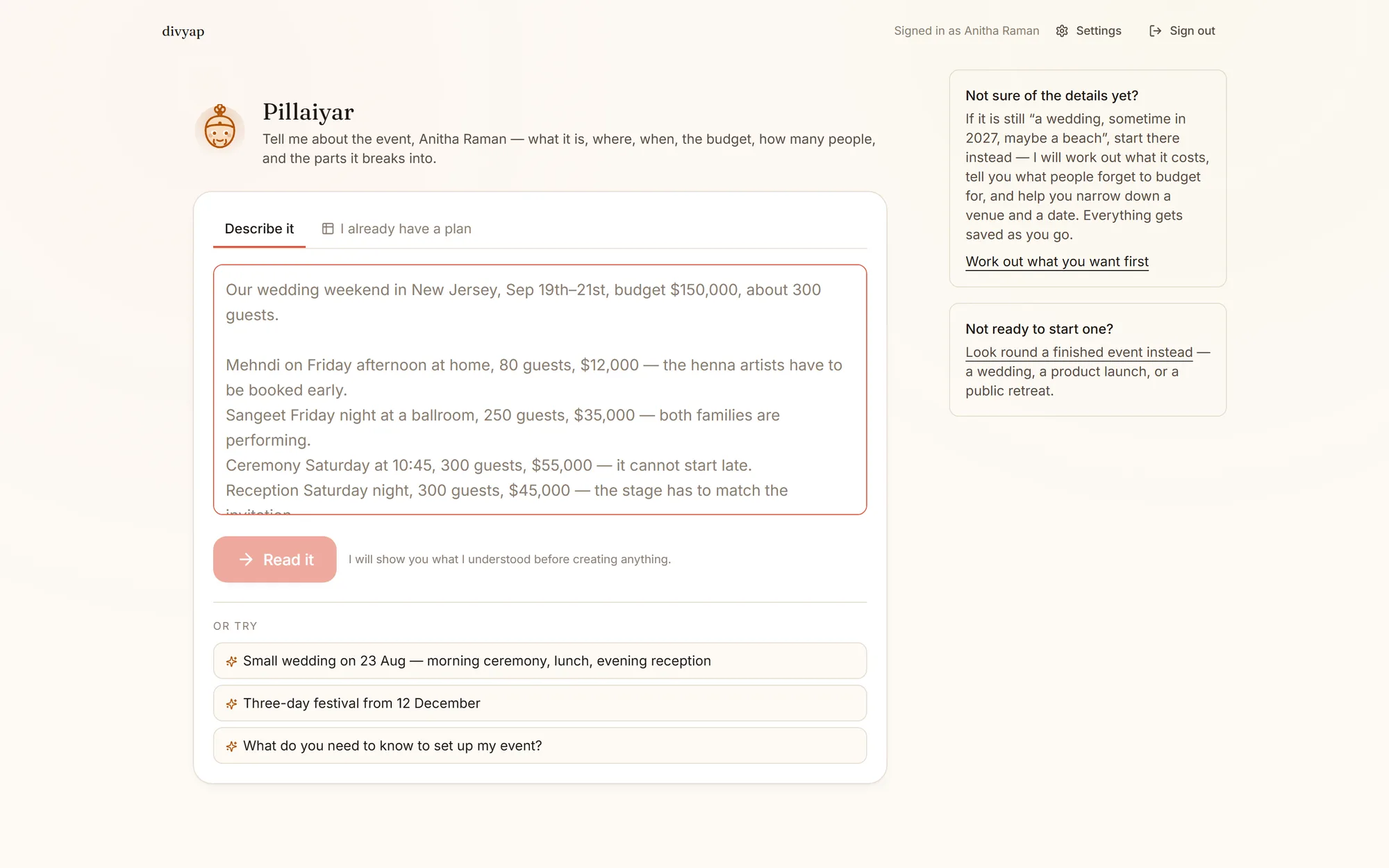
Describe the event the way you would to a friend
“Our wedding weekend in Austin, mid-May, about 180 guests, $90,000. Welcome party Friday, ceremony at sunset Saturday, brunch Sunday.” divyap reads it and lays out the parts on the right days, the tasks with deadlines counted back from each one, the vendors you will need and a budget split across them.
- It shows you what it understood before it creates anything.
- “Sometime next spring” is an answer. It never demands an exact day.
- Not sure yet? It helps you work out what it will cost and narrow down a venue first.
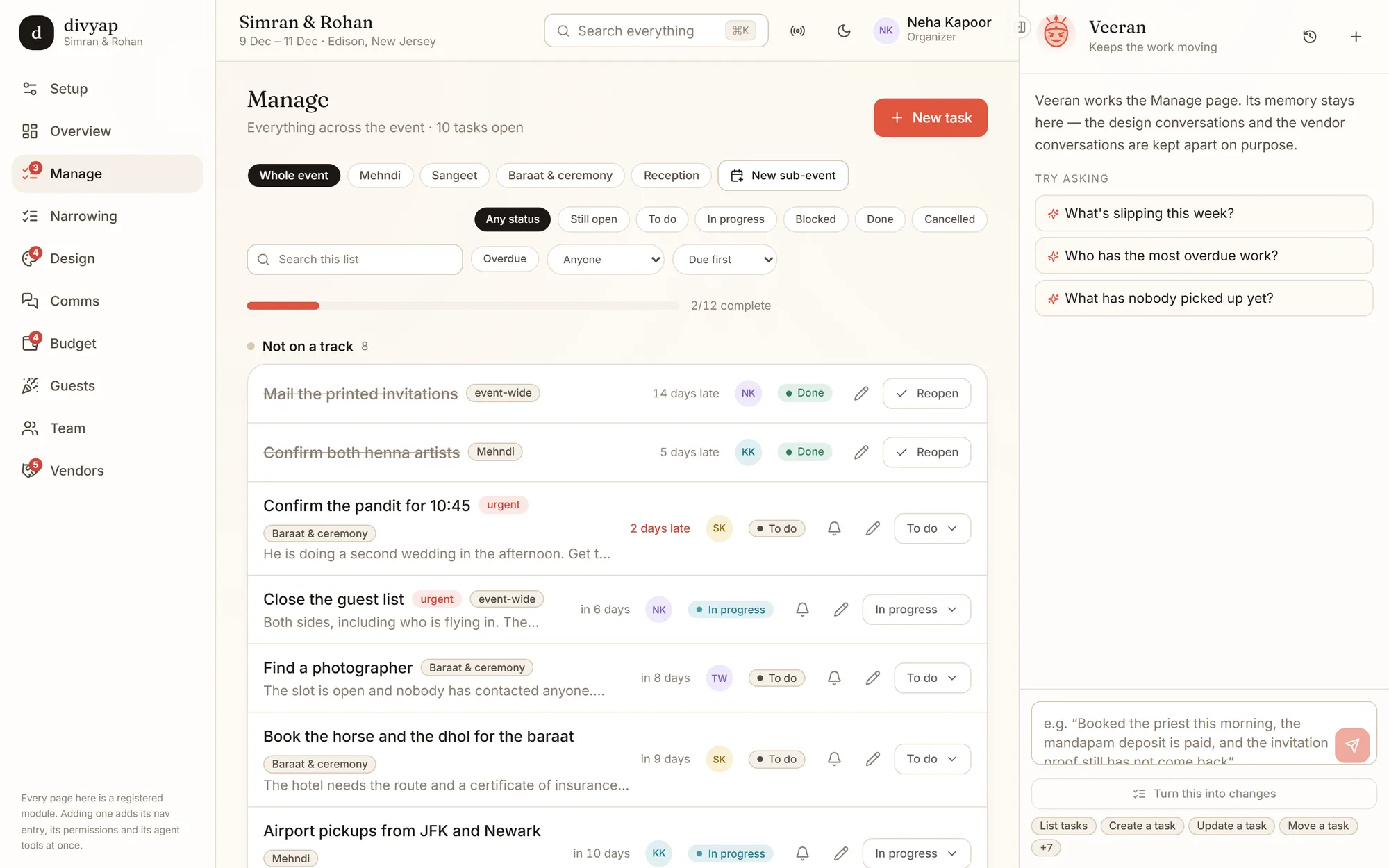
Manage
Every task, across every part, in one list
Filter by part, person or status. See who is on it and how late it is, and nudge them in one tap. A task belongs to the sangeet or to the whole wedding — never to a spreadsheet tab nobody opens.
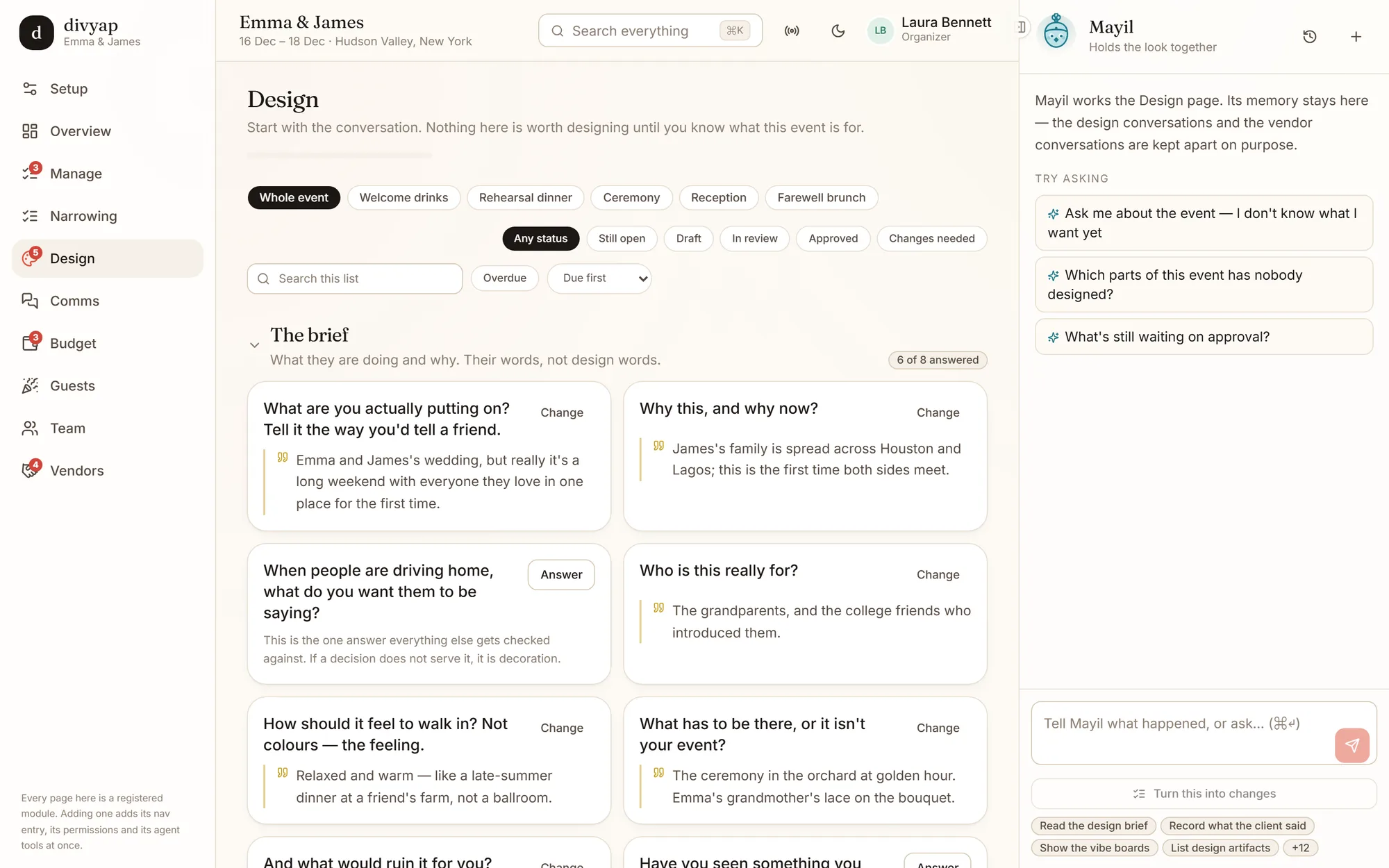
Design
A designer that starts with why, not colors
The brief is asked in plain words — who is this for, what has to be there — and kept in the family's own voice. Pick from pictures, never a color picker; then one direction per florist, caterer, AV and print, signed off before it goes to the vendor.
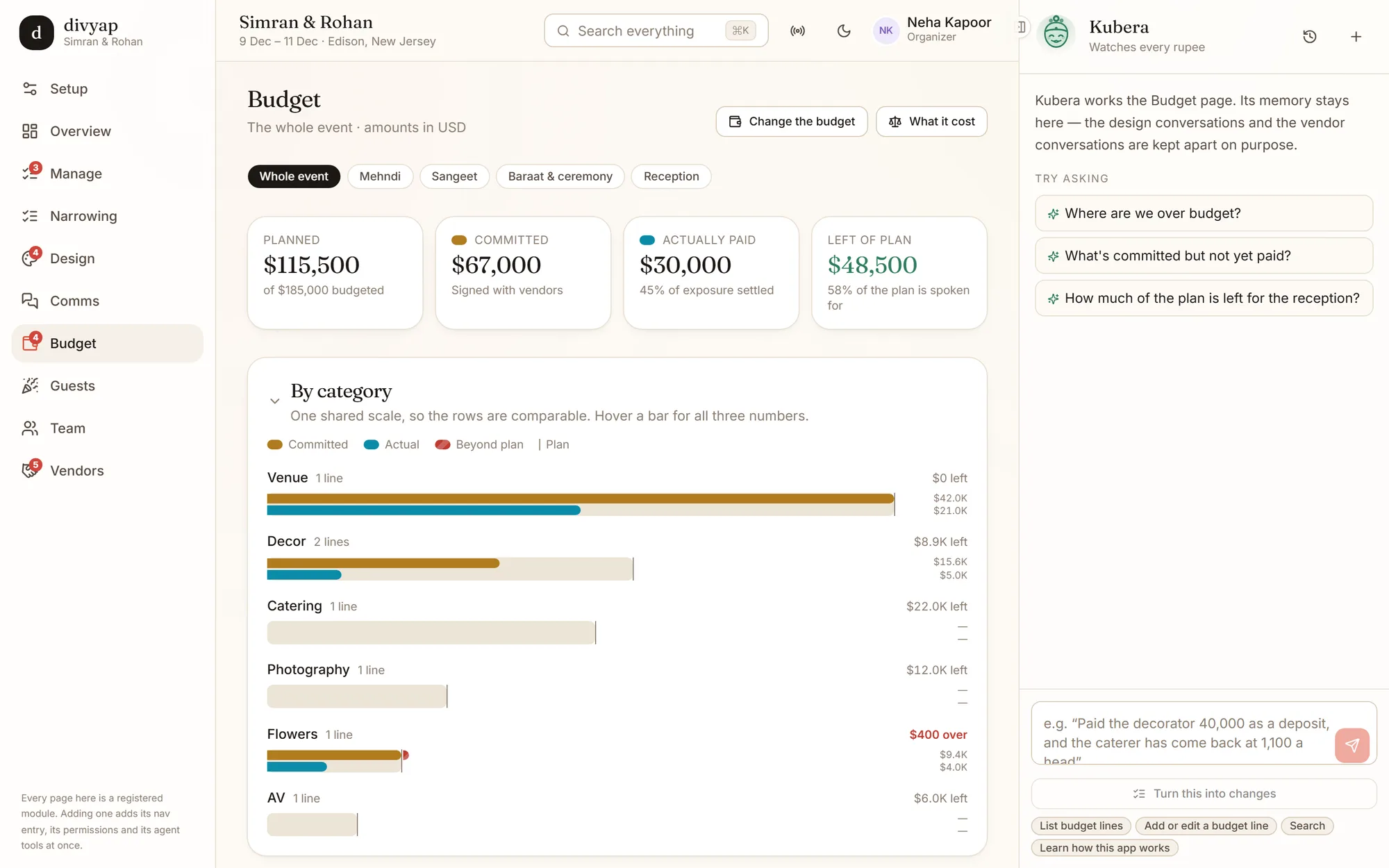
Budget
Planned, committed and actually paid
One shared scale across catering, venue, flowers and the rest, so you can see at a glance what is over and what is signed but not yet paid — in dollars, or whatever currency your event is in.
Vendors
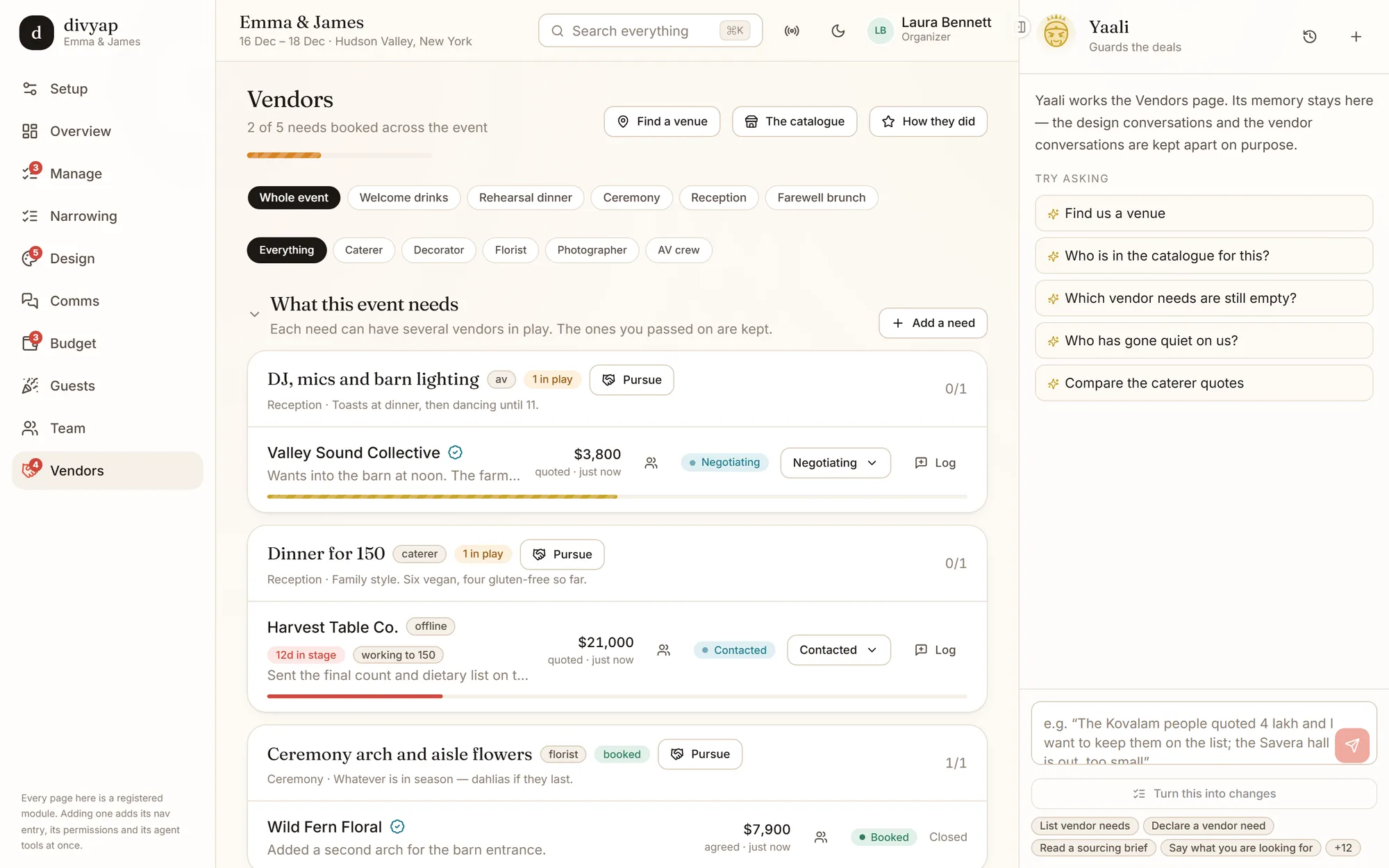
What you need, who is in play, and who went quiet
Each need — a pavilion for the pheras, a DJ who can run eleven family performances — keeps every vendor you are talking to, the quotes side by side, and the ones you passed on.
An assistant on every page
Tell it what happened. It turns that into changes you approve.
“Booked the officiant this morning, the venue deposit is paid, and the invitation proof still hasn't come back.” The assistant on that page works out which tasks, payments and threads that touches, shows you the changes, and makes them when you press Update.
Each page has its own, named for a guardian from Tamil tradition, and each keeps its own memory — the design conversations and the vendor conversations stay apart on purpose. They can only do what you can do: a volunteer’s assistant cannot approve a design any more than the volunteer can.
Aiyanar
Overview · Watches the whole boundary
Veeran
Manage · Keeps the work moving
Mayil
Design · Holds the look together
Kubera
Budget · Watches every rupee and dollar
Yaali
Vendors · Guards the deals
Ammani
Guests · Keeps the list of everyone
The same tools are open to your own AI assistant over MCP, with the same permissions — coming to divyap.com after the alpha.
Watch a minute of it
A Hudson Valley wedding weekend: the overview, the task list, the design brief, the budget and the vendors — then a New Jersey wedding as a volunteer who only runs the sangeet, and how a new event starts.
Not another checklist, and not another spreadsheet
Spreadsheets and group chats hold everything and tell you nothing. Wedding apps give you one checklist for one day. Project tools know nothing about rehearsal dinners, hotel blocks or henna artists. divyap is built around the shape of the event itself.
divyap is in private alpha
Testers get an access code. If somebody gave you one, create your account and start your event — or look around three finished ones first.