Tour
A four-day wedding in Chennai, page by page
Priya and Aravind’s wedding: a nichayathartham, a mehendi, a sangeet, a muhurtham at dawn and a reception, for 300 guests. Every screen below is the real app.
Overview
How is everything trending?
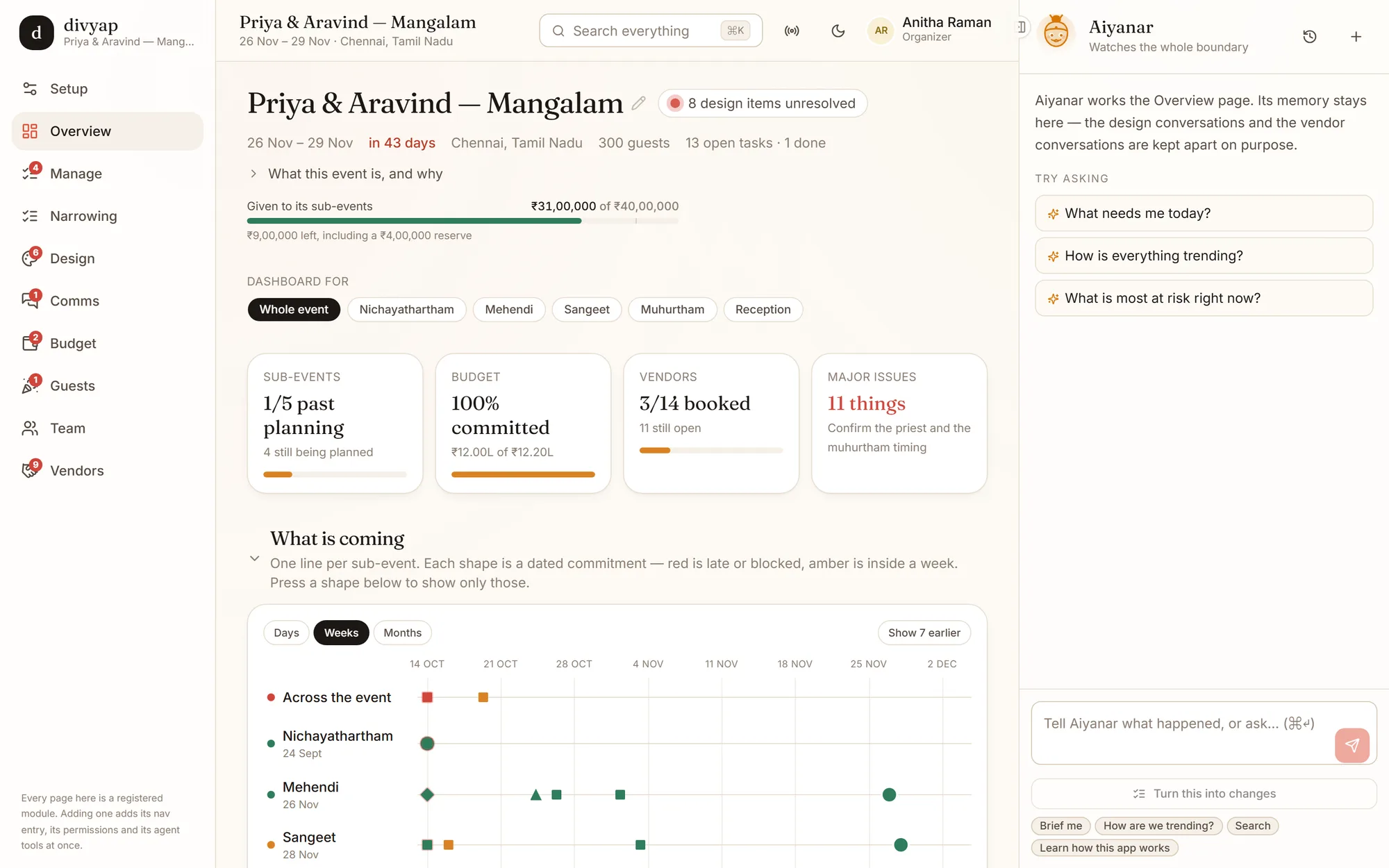
The page you open in the morning. It reads tasks, design, budget, vendors and conversations, and tells you what needs you — instead of making you check five places.
- The budget given out to each part, and what is left including the reserve
- Sub-events, budget, vendors and major issues at a glance, for the whole wedding or one part
- A timeline of every dated commitment per part — red is late or blocked, amber is inside a week
- Each issue says who to contact: the person on the task and the vendor tied to it
Manage
Every task, every part, every person
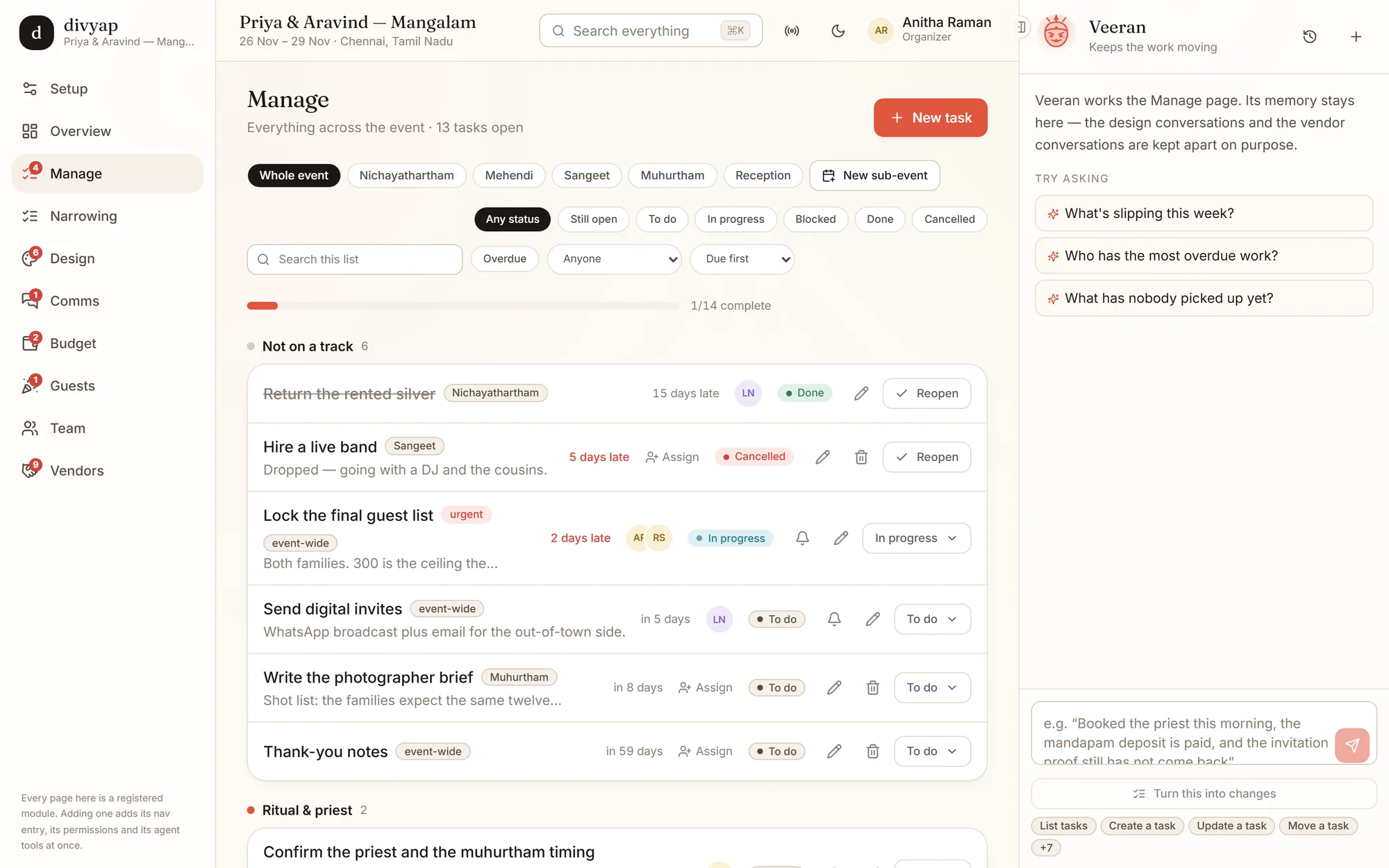
The working list. Tasks belong to a part of the event — or to the whole of it — and sit on tracks like ‘Ritual & priest’ or ‘Running order’.
- Filter by part, status, person or what is overdue; sort by what is due first
- See who is on each task, assign it, nudge them, or mark it done in place
- A cancelled task keeps its reason — “Dropped, going with a DJ and the cousins”
- Not sure how to plan a part? “Plan this day properly” deepens it into the tasks it needs
Roles
The same wedding, as the cousin running the sangeet
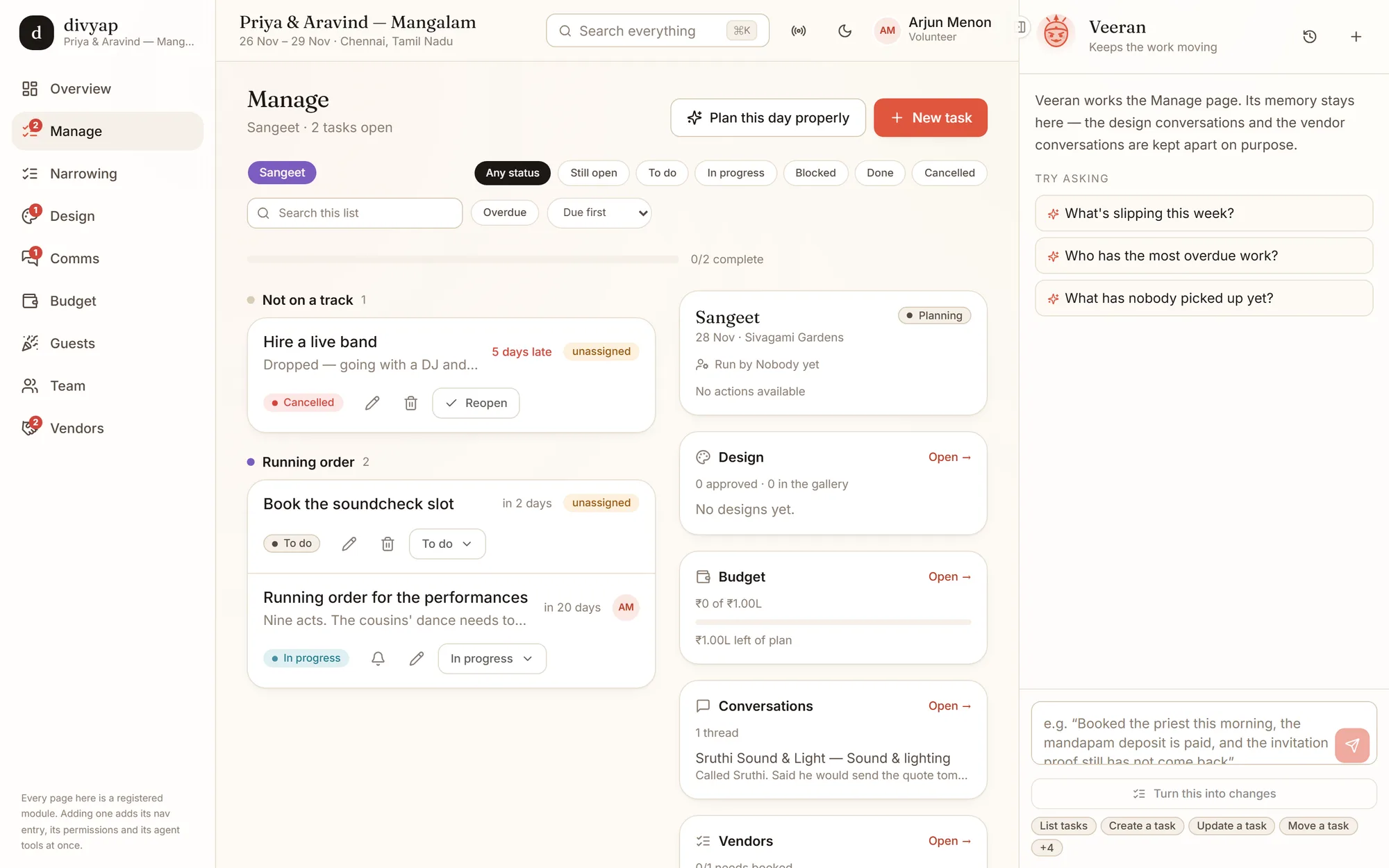
Nobody has a role of their own — what each person can do comes from what they were given on this event. Arjun is a volunteer on the sangeet, so that is what he sees.
- Only the sangeet’s tasks, budget, design and conversations
- No approve buttons on things that are not his to approve
- His assistant has exactly his permissions, no more
- Invite people by link, locked to one address if you like, and change their access later
Design
A designer, not a mood board
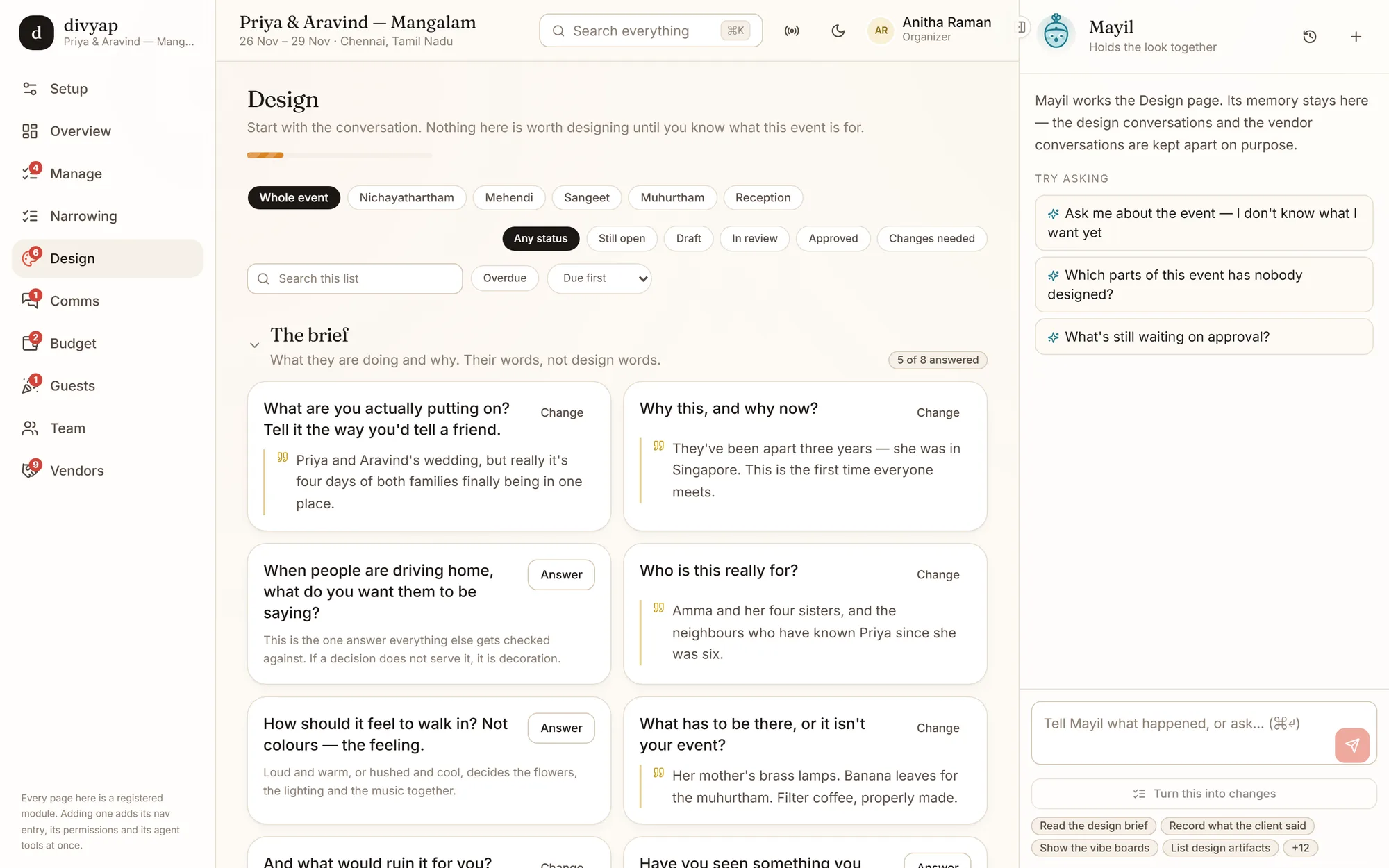
Design starts with the conversation: what this event is, why now, and who it is really for — kept in the family’s own words, because that is what every decision gets checked against.
- A brief asked one question at a time, in plain language
- Vibe boards: point at the pictures you like and the palette is read off them
- One direction per discipline — florist, caterer, decor, AV, print
- Approval before anything is sent; sending posts it to the booked vendor
Budget
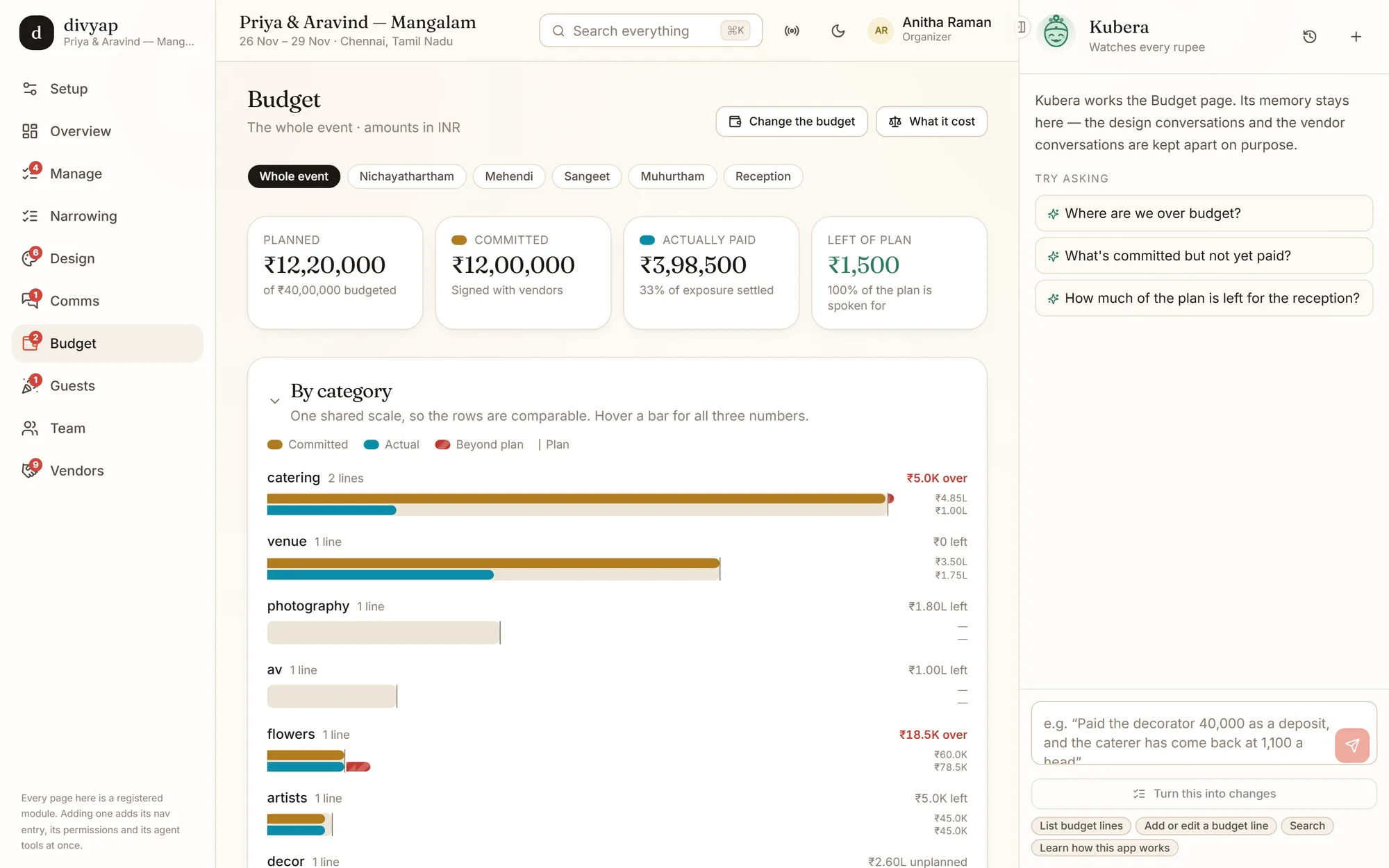
Planned, committed, actually paid
Three numbers that are usually in three places. Here they share one scale, by category and by part, so over and unpaid are obvious.
- Amounts in lakhs and crores, the way they are spoken
- What is signed with vendors but not yet paid
- What is over plan, per line, before it becomes a surprise
- Other currencies for the guests and vendors who are abroad
Vendors
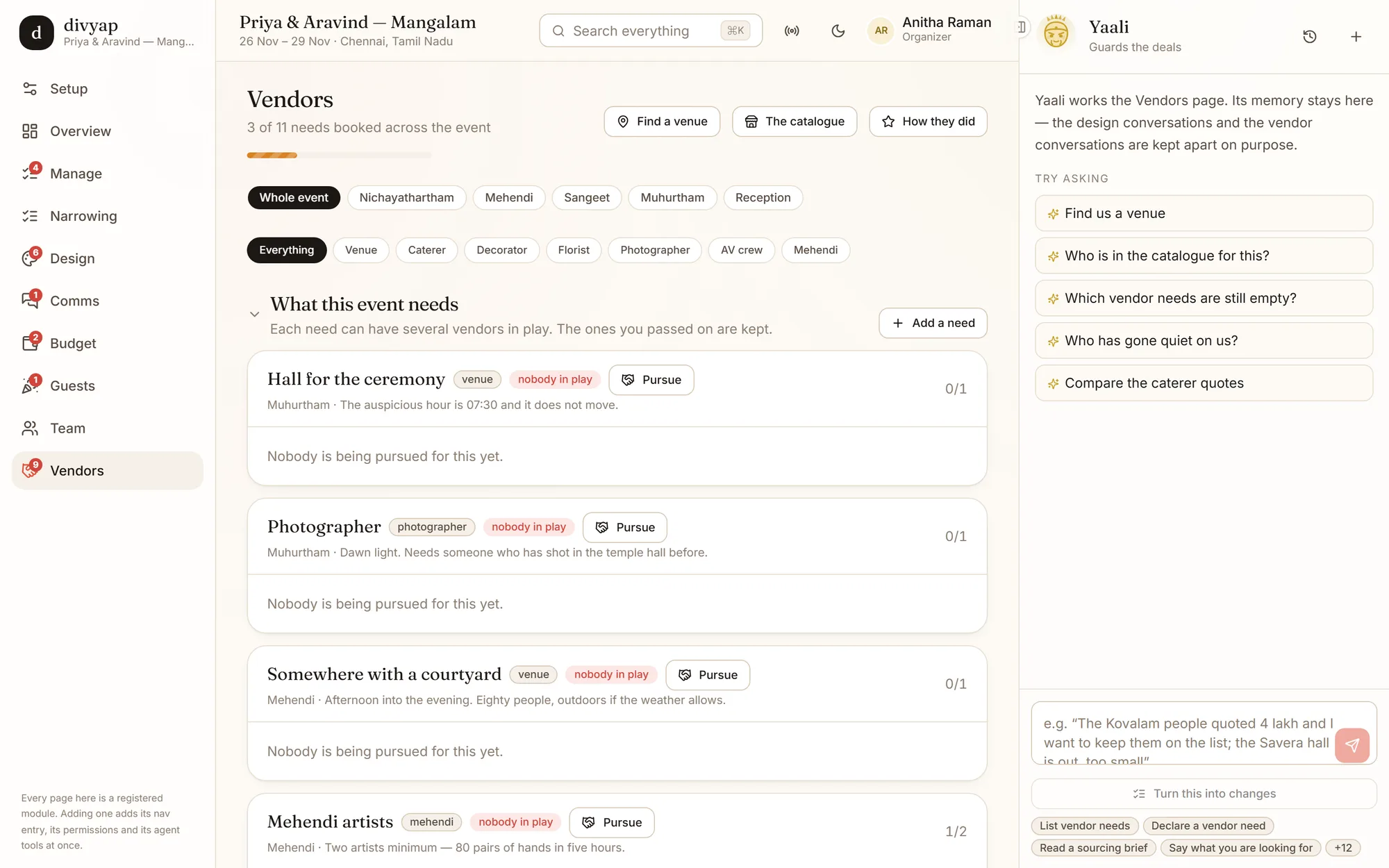
What the event needs, and who is in play for it
Each need is a sentence — “the auspicious hour is 07:30 and it does not move” — with every vendor you are talking to for it, from first call to booked.
- Several vendors per need, with the ones you passed on kept
- Quotes compared side by side
- Help finding a venue that fits the date, the size and the hour
- Who has gone quiet, and how each vendor did afterwards
And at night
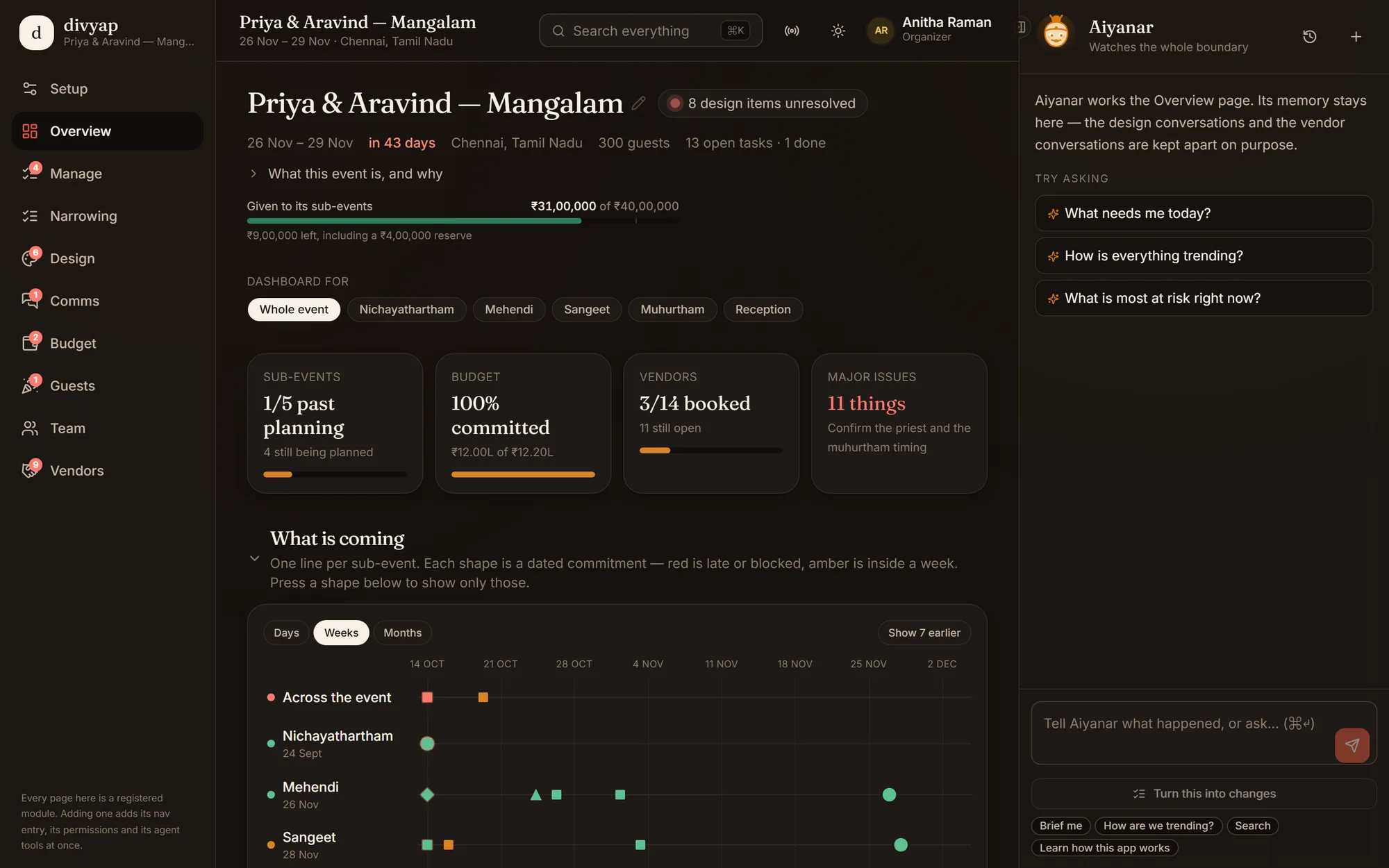
Dark mode, for the late planning calls
It follows your device’s setting, or flip it yourself from the moon in the top bar.
Watch the whole thing move
About a minute, no sound needed.
divyap is in private alpha
Testers get an access code. If somebody gave you one, create your account and start your event — or look around three finished ones first.